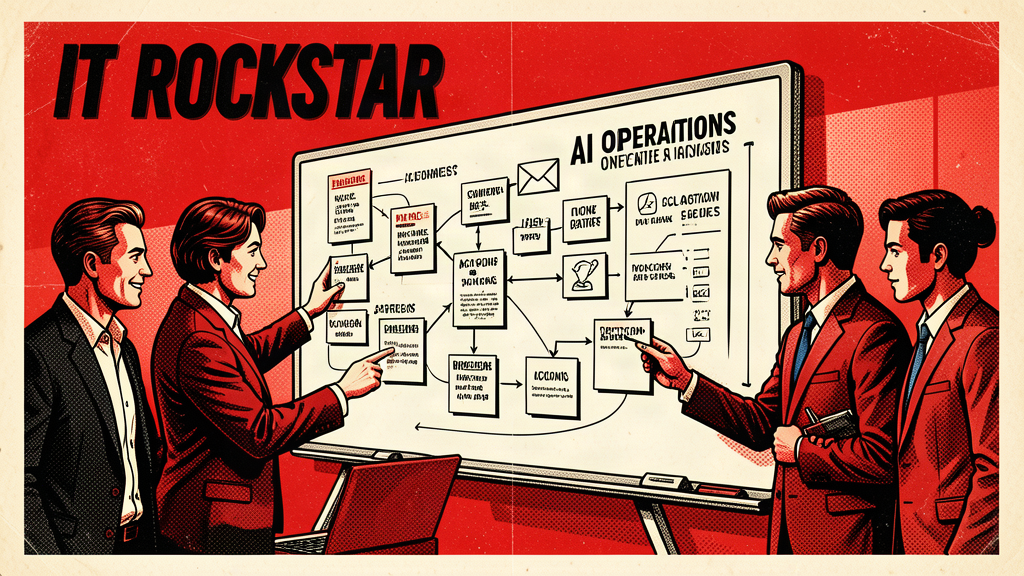
Every organization has two operating manuals.
The first one is official. It lives in folders, intranets, PDFs, shared drives, and occasionally inside a document titled “FINAL_v7_REAL_FINAL_USE_THIS_ONE.docx.”
The second one is real. It lives in people’s heads.
The real manual explains who to ask when the system acts strange, which form is technically required but rarely useful, what exception the director approved three years ago, which vendor replies fastest, and why the monthly report always needs a manual adjustment before anyone trusts it.
That second manual is where AI can help immediately.
Not by magically replacing institutional knowledge, but by helping capture it, structure it, question it, and turn it into something the organization can actually use.
## Build a living AI operating manual
A living AI operating manual is a practical knowledge base designed for humans and LLMs. It combines procedures, decision rules, examples, templates, exceptions, owners, and common pitfalls into a format that can be searched, summarized, and improved over time.
This is different from a traditional SOP folder. A folder stores documents. A living manual explains how work actually moves.
The goal is simple: when someone asks, “How do we handle this?” your AI-supported manual can produce a useful answer, cite the source, and identify whether the answer is approved, outdated, or missing.
That is a massive upgrade from the classic method: asking three people, checking an old email, then doing whatever worked last time.
## Start with the messiest recurring process
Do not start with the whole company. Start with one process that regularly creates confusion.
Good candidates:
– New employee onboarding
– Event registration setup
– Monthly reporting
– Membership renewals
– Customer intake
– Vendor invoice approval
– Content publishing
– Grant application tracking
– Board packet preparation
Pick a process where the official steps and the real steps are not the same. That gap is the gold mine.
## Interview the process, not just the people
Use an LLM to help build a structured interview guide. Ask the people who do the work questions like:
– What kicks off the process?
– What information is required before work can begin?
– What usually goes wrong?
– What decisions require judgment?
– What exceptions happen most often?
– What templates or examples do you reuse?
– What systems are involved?
– Who owns each step?
– What does “done” mean?
– What would you teach a new person on day one?
Record the answers with permission, transcribe them, and ask the LLM to convert the transcript into a draft operating manual.
The first draft will not be perfect. That is fine. It will be better than invisible knowledge.
## The format that works
Structure each process entry like this:
1. Purpose
2. Owner
3. Trigger
4. Inputs required
5. Systems used
6. Step-by-step workflow
7. Decision rules
8. Common exceptions
9. Templates and examples
10. Quality check
11. Escalation path
12. Last reviewed date
This format gives the LLM enough structure to answer practical questions without pretending the organization is cleaner than it is.
## Add “decision rules” before you add automation
One of the smartest uses of AI is helping teams identify decision rules.
For example:
– If the request is under $500, route to the department manager.
– If the member is inactive for more than 90 days, send the reactivation sequence.
– If a ticket includes billing and login issues, assign billing first.
– If a sponsorship request includes custom benefits, require executive review.
Once decision rules are clear, automation becomes much easier. Without decision rules, automation just makes confusion move faster. That is not transformation. That is chaos with a webhook.
## Make the manual conversational
Once the manual is drafted and reviewed, connect it to a controlled AI assistant. Staff should be able to ask:
– “What do I do if a vendor invoice is missing a purchase order?”
– “Who approves a refund exception?”
– “What is the checklist for launching a webinar?”
– “Show me the onboarding steps for a remote employee.”
– “What changed in this process since last quarter?”
The assistant should answer from the approved manual, cite the relevant section, and say when it does not know. That last part matters. A useful AI assistant should be confident when grounded and humble when not.
## Create a feedback loop
Every answer should make the manual better.
Add a simple feedback option:
– Helpful
– Not helpful
– Missing information
– Outdated information
Review feedback weekly. Update the manual. Let the AI assistant point to gaps instead of hiding them.
This turns staff questions into a maintenance system for organizational knowledge.
## Why this beats random AI experiments
Many AI experiments fail because they are disconnected from real work. A living operating manual is different. It improves documentation, onboarding, training, support, automation readiness, and consistency all at once.
It also reduces dependency on heroic employees who know everything because nobody else had time to write it down.
That is not just AI. That is operational insurance.
## The first version can be ugly
Do not wait for perfect taxonomy, perfect intranet design, or perfect governance. Start with one process, one owner, one draft, and one review meeting.
Your first version should answer one question better than the current system does.
That is enough to begin.
Ralph Perez’s book Fear Less, Live More includes other practical ways to use AI with more clarity, confidence, and momentum.
Book link: https://www.amazon.com/Fear-Less-Live-More-Practical/dp/B0GGBWHFN2/
Keep building practical AI confidence
Fear Less, Live More
Ralph Perez’s book includes additional practical ways to use AI with more clarity, confidence, and momentum.